
My Majors
Find Your College Major Assessment

Choosing a major is an important decision, but it can sometimes feel overwhelming. At Long Beach City College, we encourage students to begin exploring their major and career options as early as possible. The Long Beach City College MyMajors career assessment is one of the tools available to help you begin that process.
MyMajors considers your academic achievements, interests, strengths, and preferences to recommend majors that may be a good fit for you. After completing the assessment, you can continue exploring careers through MyCareers and meet with a Career Counselor to discuss your results, academic options, and career goals.
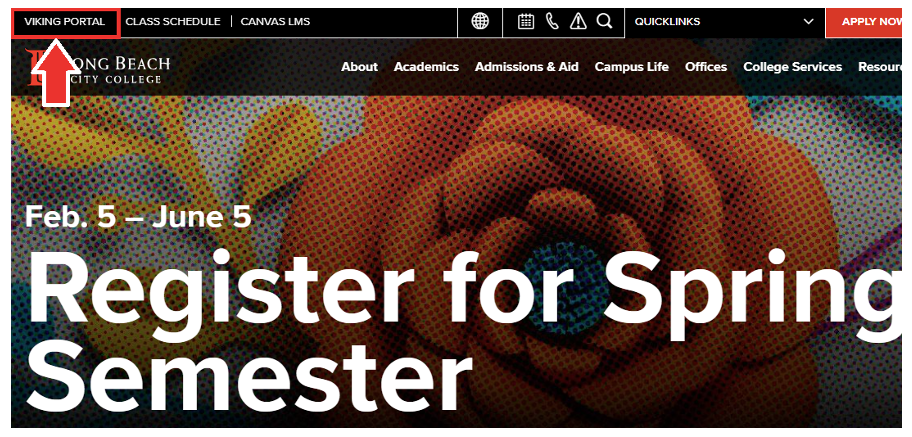
Step 1 – Log Into Your Viking Portal
Log into your Viking Portal through the LBCC website using your Viking Student ID and password.
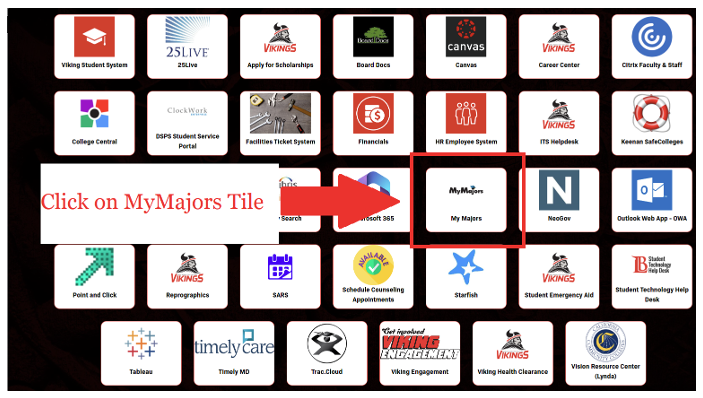
Step 2 – Click on the MyMajors Tile
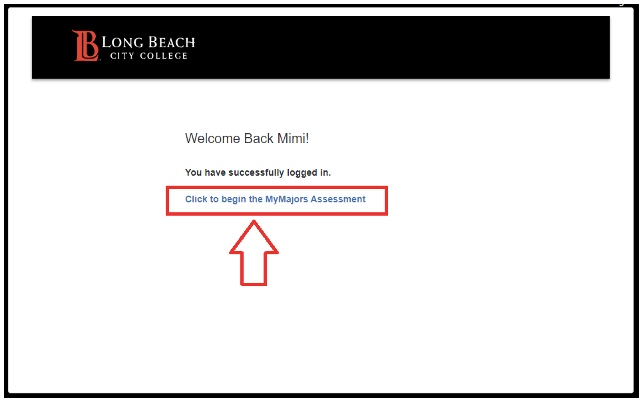
Step 3 – Begin the MyMajors Assessment
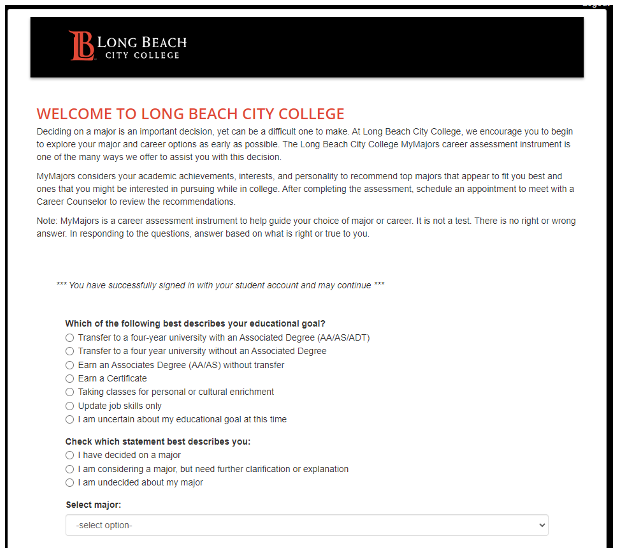
Step 4 – Complete the Registration Form
You must complete the registration form before beginning the assessment. Remember, there are no right or wrong answers. Select responses that best represent where you are currently in your major and career development journey.
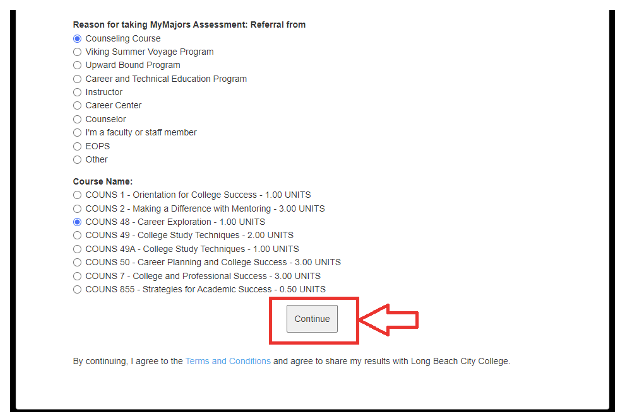
Step 5 – Click “Continue” to Begin the Assessment
Once you have completed the registration form, click the “Continue” button to begin the MyMajors assessment.
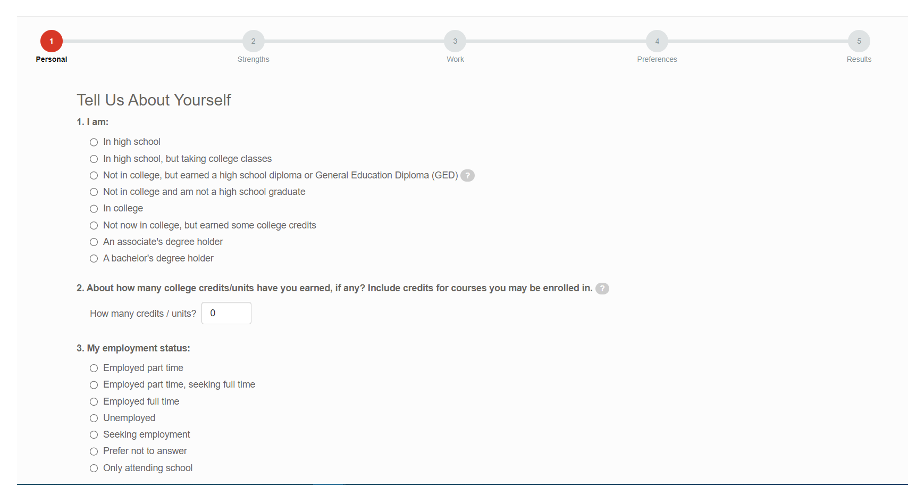
Step 6 – Complete All Sections
Please complete all sections of the assessment: 1) Personal, 2) Strengths, 3) Work, and 4) Preferences before reaching 5) Results. A progress bar at the top of the page will show your completion status. The assessment should take approximately 15-20 minutes to complete.
Step 7 – Save Your Results
Download the PDF report of your MyMajors results and save it somewhere you can easily access it later. Your results can be helpful when meeting with a Career Counselor or continuing your career exploration.
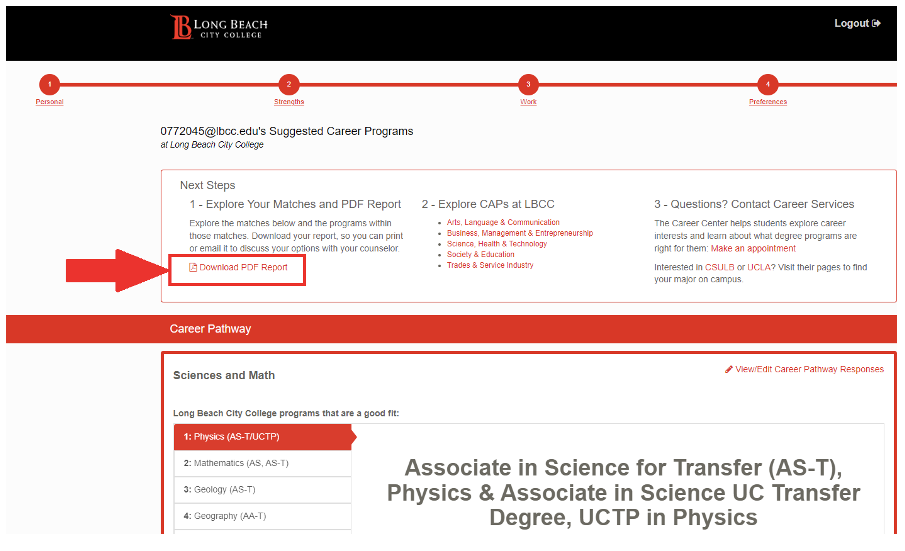
To view your report online, visit https://lbcc.mymajors.com/quiz/ and click “Log-In” in the upper-right corner of the page. Enter your email and password to access your report.
Step 8 – Explore Careers with MyCareers
After completing MyMajors, continue your exploration with MyCareers. MyCareers helps you research careers and industries while exploring how different career options connect to LBCC’s academic pathways.
Use MyCareers to learn more about career possibilities connected to your interests, major, and educational goals.
Explore MyCareers: https://lbcc.mymajors.com/careers/
Watch the MyCareers Overview Video: MyCareers Overview Video
Step 9 – Schedule a Career Counseling Appointment
Schedule an Appointment with a Career Counselor to review and interpret your MyMajors results, discuss careers you explored through MyCareers, and connect your interests with your academic and career goals.
Please call or email us if you are unable to find an appointment that works with your schedule.
Email: careerteam@lbcc.edu
Phone: 562-938-5195